A day with Julia · Specialty sub

A day with Julia, from the office to the truck.

What your office and foremen see.

  1. Night beforeOffice → crew

    The Dispatch Board text

    Every worker gets the site, address and start time.

    Dispatch Board →
  2. ArrivalEvery worker

    Clock in from the link

    Tap last night’s link. GPS is optional.

    Dispatch Board →
  3. MorningForeman

    Morning check-in call

    About 3.5 minutes: the plan, the crew count, any blockers.

    Check-in Calls →
  4. All dayForeman + techs

    Push-to-talk Notes and photos

    What was found, fixed or needed, on the right job.

    Notes →
  5. AfternoonForeman

    Afternoon check-in call

    What got done. Workers clock out from the link.

    Check-in Calls →
  6. EveningOffice

    Your own nightly report

    Hours, progress, issues and photos for each job.

    Nightly Reports →

Example times; you set them per job. See a day for a GC →

By project: who’s on each job

Example dataDispatch Board By Project view, example data: a people list on the left and a two-week calendar on the right, with each project as a row and assigned workers shown as chips on that project's dates.
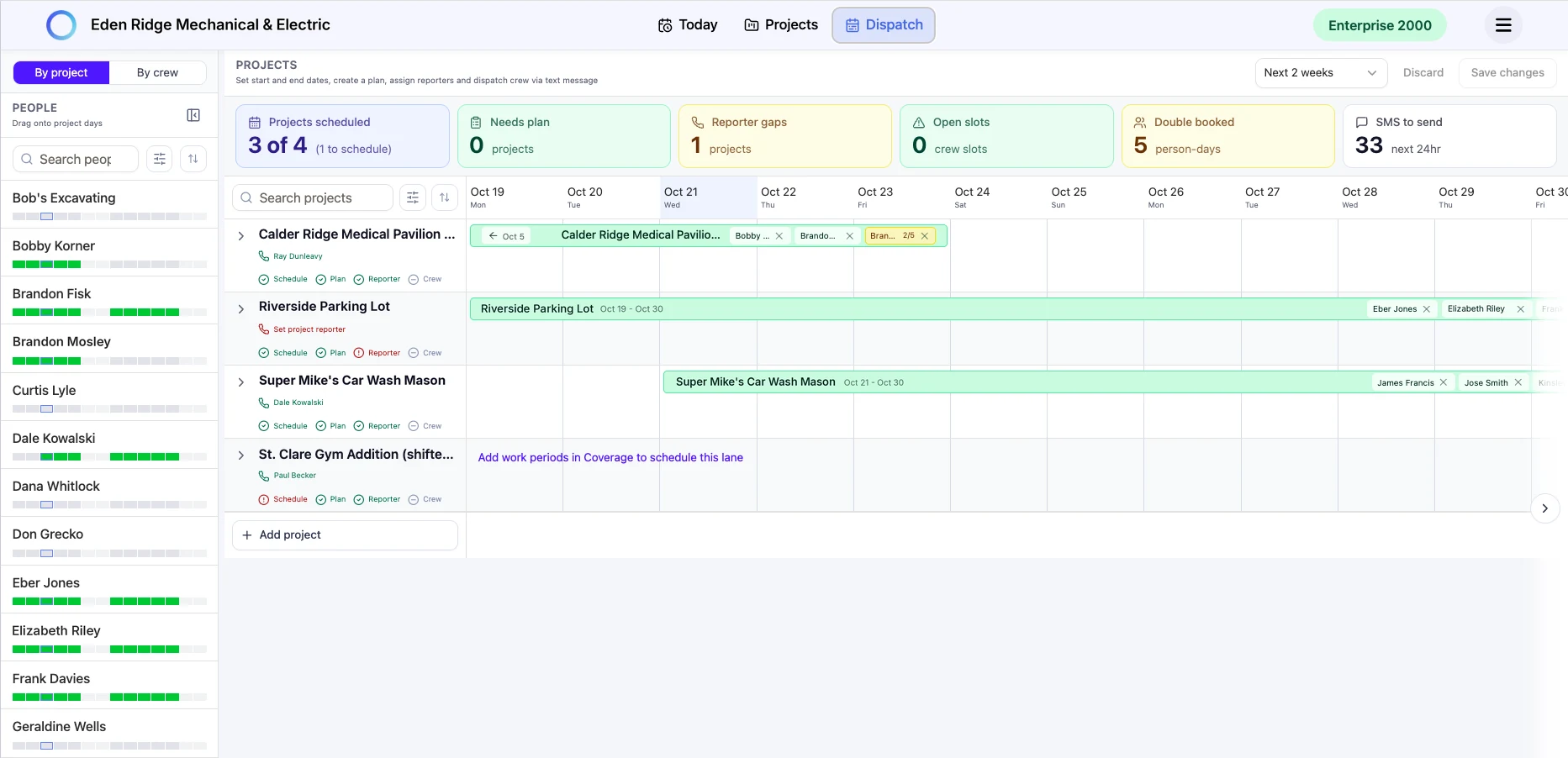
Drag workers onto a project or task row for the days they’re needed. Each one gets tomorrow’s site, address and start time by text. Example data.

By crew: where everyone is tomorrow

Example dataDispatch Board By Crew view, example data: one row per worker across two weeks, showing which project each person is on each day, with overbooked days flagged in red and free days left open.
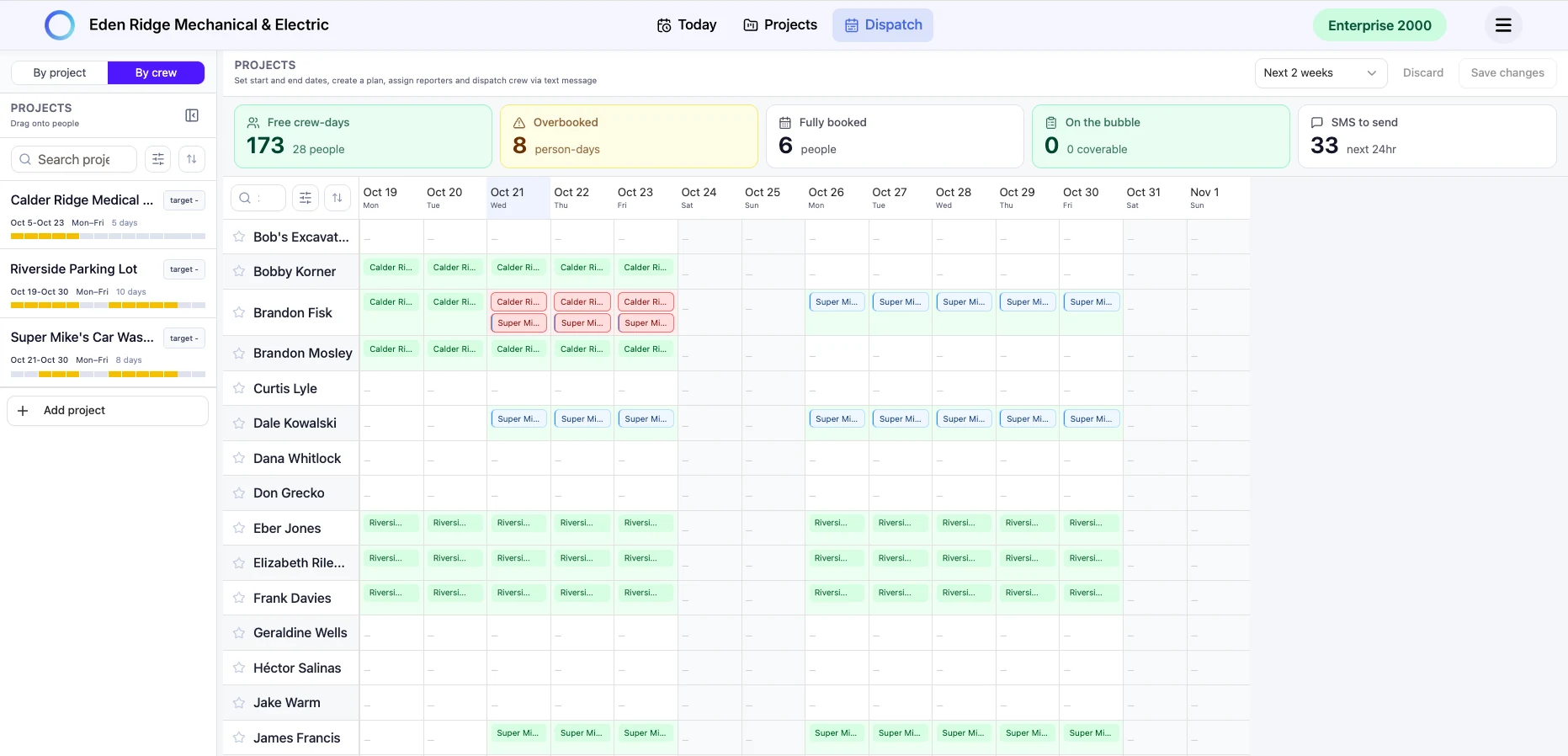
Every worker’s week at a glance, with overbooked days flagged and free days open. Example data.

See Julia on one of your jobs.

Thirty minutes with a founder.